


Which MacBook Should You Choose in 2026: Neo, Air, or Pro?
In 2026, the MacBook Neo, MacBook Air M5, and MacBook Pro represent three distinct tiers in Apple’s laptop lineup and this is where the real competition begins: A18 Pro vs. M5, M5 vs. M5 Pro and M5 Max, and standard Liquid Retina vs. Liquid Retina XDR. On one side, the MacBook Neo is Apple’s more affordable option. The MacBook Air M5 aims to strike a balance between performance and portability, while the MacBook Pro is designed for more demanding workloads and professional use. But how big is the difference in real-world use? Is upgrading from the MacBook Neo to the Air M5 something you will actually notice? And when moving from the Air to the Pro, what are you really getting for the extra money? Let’s compare all three models across the factors that matter most: chip, display, size, performance, multitasking, connectivity, and everyday usability.
MacBook Neo: an affordable MacBook, but not simply a “cheap” option
The MacBook Neo stands out in Apple’s MacBook lineup primarily because of its more accessible price. But that doesn’t mean it is simply a weaker or limited laptop. It is designed for users whose everyday work revolves around browsing the web, documents, email, video calls, social media, and everyday apps. If your typical workday is spent in Chrome, Google Docs, Canva, Zoom, email, and similar applications, the MacBook Neo can be more than enough. Apple equips it with the A18 Pro chip, 8GB of unified memory, and up to 512GB of SSD storage, while the 13-inch Liquid Retina display and battery life of up to 16 hours of video streaming make it a practical choice for everyday use. The main idea here is simple: you get the Apple ecosystem and the macOS experience at a more accessible price point.

The Neo features a 13-inch Liquid Retina display and is powered by the A18 Pro chip. This combination makes it an interesting option for users who don’t want to pay for Pro-level features they simply won’t use in their everyday work. But this is exactly where the real difference between the Neo and the Air M5 begins.
MacBook Air M5: one step ahead of the Neo, one step behind the Pro
If the Neo focuses primarily on basic and everyday tasks, the MacBook Air M5 moves into a more versatile category. The Air has long been considered one of the most well-balanced options in the MacBook lineup, and that philosophy continues with the M5 generation. Here, you get the M5 chip, a choice of larger display sizes, and broader capabilities without moving into the size and price range of the Pro. The Air M5 is particularly appealing to users who expect more from their laptop than simply browsing the web and working with documents. Having numerous browser tabs open, working with Excel or Google Sheets, doing lighter Photoshop work, using Canva, programming, creating content, and running several applications at the same time are all more natural scenarios for the Air. In other words, the Neo is primarily designed for everyday tasks, while the Air M5 aims to combine that same lightweight, portable experience with a higher level of performance.
13.6" or 15.3": there’s a difference within the Air lineup too
One of the key advantages of the MacBook Air M5 is that it is available in two sizes: 13.6 and 15.3 inches. The 13.6-inch MacBook Air M5 is more compact and better suited to users who frequently carry their laptop around. It fits easily into a bag and is particularly convenient for traveling or working from different locations. The 15.3-inch MacBook Air M5, on the other hand, provides a larger workspace. If you regularly work with several windows, spreadsheets, or large amounts of information at the same time, the additional screen space can make a noticeable difference to everyday comfort and productivity. So, when choosing the Air M5, the question isn’t simply “Air or not Air?” It’s also about deciding between the compact 13.6-inch design and the larger 15.3-inch workspace.
MacBook Pro: this Is where the rules of the game change
The MacBook Pro is already in a different category. While the Air M5 aims to be as versatile as possible, the Pro is built around the needs of more demanding users. Here, it’s not just about speed. Long-term performance under heavy workloads, a more advanced display, more powerful chip options, and additional capabilities all become important factors. Depending on the configuration, the MacBook Pro is available with M5, M5 Pro, and M5 Max chips. For example, the 16-inch MacBook Pro M5 Pro is designed for workflows where significantly higher performance is required. And when it comes to particularly demanding professional workloads, the 16-inch MacBook Pro M5 Max sits among the most powerful options in the lineup. The difference becomes much more noticeable when working with high-resolution video, 3D graphics, complex programming projects, large-scale projects, or multiple demanding applications at the same time.
Display: this is where the Pro really stands out
The display is one of the most noticeable differences between the three models. The MacBook Neo and MacBook Air M5 use Liquid Retina displays, while the MacBook Pro features Liquid Retina XDR. The Pro’s XDR display is particularly valuable for users working with photography, video, graphics, or HDR content. It offers higher brightness and more advanced image capabilities, with brightness reaching up to 1,600 nits for HDR content. However, the difference isn’t always as significant during everyday tasks. If you mainly write documents, work on websites, use Google Docs, manage emails, or work with office applications, the Air’s Liquid Retina display is already at a very high level. In other words, the Pro’s display advantage becomes much easier to justify when your work involves professional visual content.
Multitasking: where the Air starts to pull ahead
Let’s imagine a typical workday. You have numerous Chrome tabs open, while working in Google Docs, Excel, Slack, or another communication app. Music is playing in the background, and in another window, you’re working in Canva. In this scenario, the MacBook Neo can handle the basic workload, but the Air M5 is already in a more comfortable position. That’s precisely where the Air’s strength lies: it can handle multiple types of work at the same time while maintaining the lightweight and portable form factor that makes the MacBook Air so appealing. Once your workload moves into heavier applications and sustained high-performance tasks, however, the Pro begins to stand out more clearly. At that point, the difference isn’t simply about how quickly the laptop completes one particular task. It’s about how much workload the computer can handle consistently over a longer period of time.

Ports and Connectivity: The Pro Is More Professional Here, Too
The differences between MacBooks aren’t only under the hood. It’s also important to consider what devices you’ll be working with. The Air and Neo are more focused on minimalist, portable use. If you primarily rely on wireless accessories and standard work equipment, this usually isn’t an issue. The Pro becomes more appealing to users who frequently connect external displays, fast external storage drives, or other professional equipment. In these situations, the Pro’s broader connectivity options can become a genuine advantage, especially if you use your MacBook as your primary workstation.
The final showdown: Neo, Air M5, or Pro?
So, which one should you choose? There’s no single right answer, because these three models are designed for different types of users. The MacBook Neo wins when it comes to affordability and everyday tasks. The MacBook Air M5 is the most balanced contender. It offers a higher level of performance than the Neo while maintaining the lightweight and portable MacBook experience. With both 13.6-inch and 15.3-inch options, you can choose between maximum portability and a larger workspace. The MacBook Pro, however, is playing in a different league. Its advantages go beyond more powerful chips. You also get a Liquid Retina XDR display, more advanced capabilities, and configurations designed for demanding professional workloads. We hope this guide helped make the choice a little easier. Ready to choose your next MacBook? Discover the latest MacBook models at AllSell and find the best option for your needs and budget.
Last news
-
 06.10.2025
AllSell
Comparison of all PS5 models
06.10.2025
AllSell
Comparison of all PS5 models
Are you a fan of digital games, want to buy a Playstation, but aren't sure which model to choose? Read this guide
-
 01.12.2025
AllSell
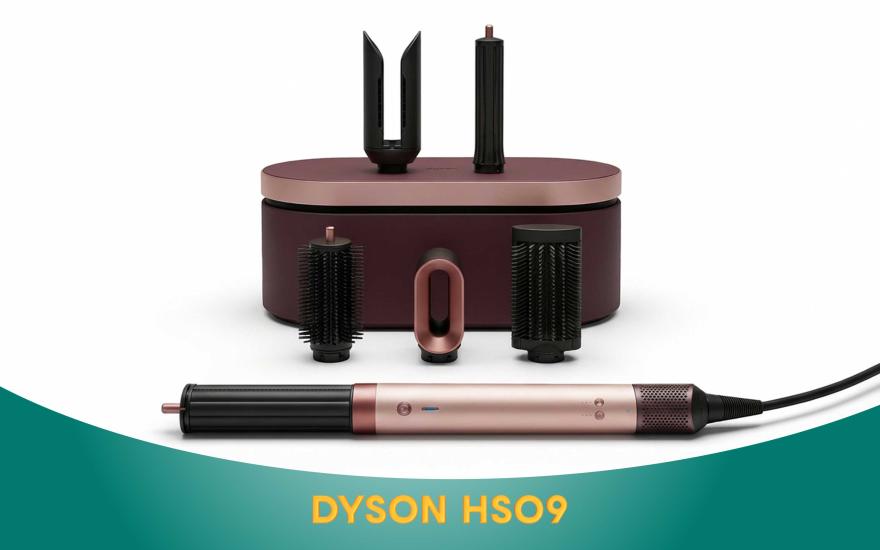
Dyson AirWrap HS09: A scientific approach to hair care
01.12.2025
AllSell
Dyson AirWrap HS09: A scientific approach to hair care
When you buy the Dyson Airwrap HS09, you get a hair dryer, straightener, and styler all in one. This is not only a three-in-one hair dryer, but also personalized care technology. Details on the blog
-
 26.11.2025
AllSell
AirPods generations and their differences
26.11.2025
AllSell
AirPods generations and their differences
There are different models of AirPods headphones and it can be difficult to make a choice if you don't know their differences. In this article, we will present all generations of Apple wireless headphones, their differences, so that you can choose the option that suits you best.
-
 29.10.2025
AllSell
DJI Mic 3 microphone features
29.10.2025
AllSell
DJI Mic 3 microphone features
How to use DJI MIC 3 to ensure the best sound quality. Discover the microphone's features
-
 16.10.2025
AllSell
Instax Mini 12: The magic of instant printing
16.10.2025
AllSell
Instax Mini 12: The magic of instant printing
The Instax Mini 12 camera entices with its instant printing capabilities. It seems like you just press a button and that's it. However, the Mini 12 is quite finicky and has its own set of features. Read more...